
AI agents, explained through real work
Give an AI agent a task with clear review criteria.
See what the tools look like, where they can help and how to choose a useful first workflow for your organization.
Vivander Advisors helps teams evaluate AI agents through defined business tasks, practical training and pilot review. This guide connects agent choices with the work, evidence and people needed to make them useful.
Explore real tool examples
By Michael J. Goldrich
Founder and Chief Advisor, Vivander Advisors
Example: prepare a weekly brief
- Use approved sourcesGather the information needed for this task
- Prepare a draftSummarize findings, cite sources and flag gaps
- Route for reviewA person checks the evidence and decides what to use
Illustrative workflow. Actual actions depend on the tool and configuration.
What is an AI agent?
An AI agent is software configured to work toward a goal, often by using tools and taking several steps. Depending on its setup, it may retrieve information, prepare an output or update a connected system.
An assistant supports the user’s work.
The user provides context and directs the next step. A shared project can retain useful instructions and reference material.
An agent can move work forward.
It may choose or sequence permitted steps toward a goal. Access, actions and review points depend on the product and configuration.
Inside the tools
Real interfaces. Different starting points.
These examples show approaches your organization can evaluate. They are not endorsements, client implementations or claims of a vendor partnership. Product interfaces and plan requirements change.
Copilot Studio: configure a task-focused agent.
Microsoft’s quickstart shows creating an agent from a description, adding knowledge, testing it and publishing it to a demo site.
A business use to evaluate: an internal help agent using approved reference material, with questions routed to a person when the answer is incomplete.
Read Microsoft’s setup walkthrough →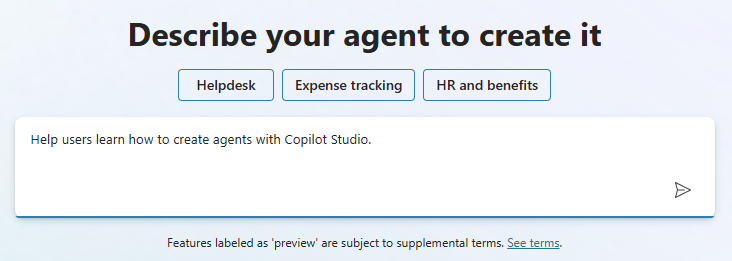
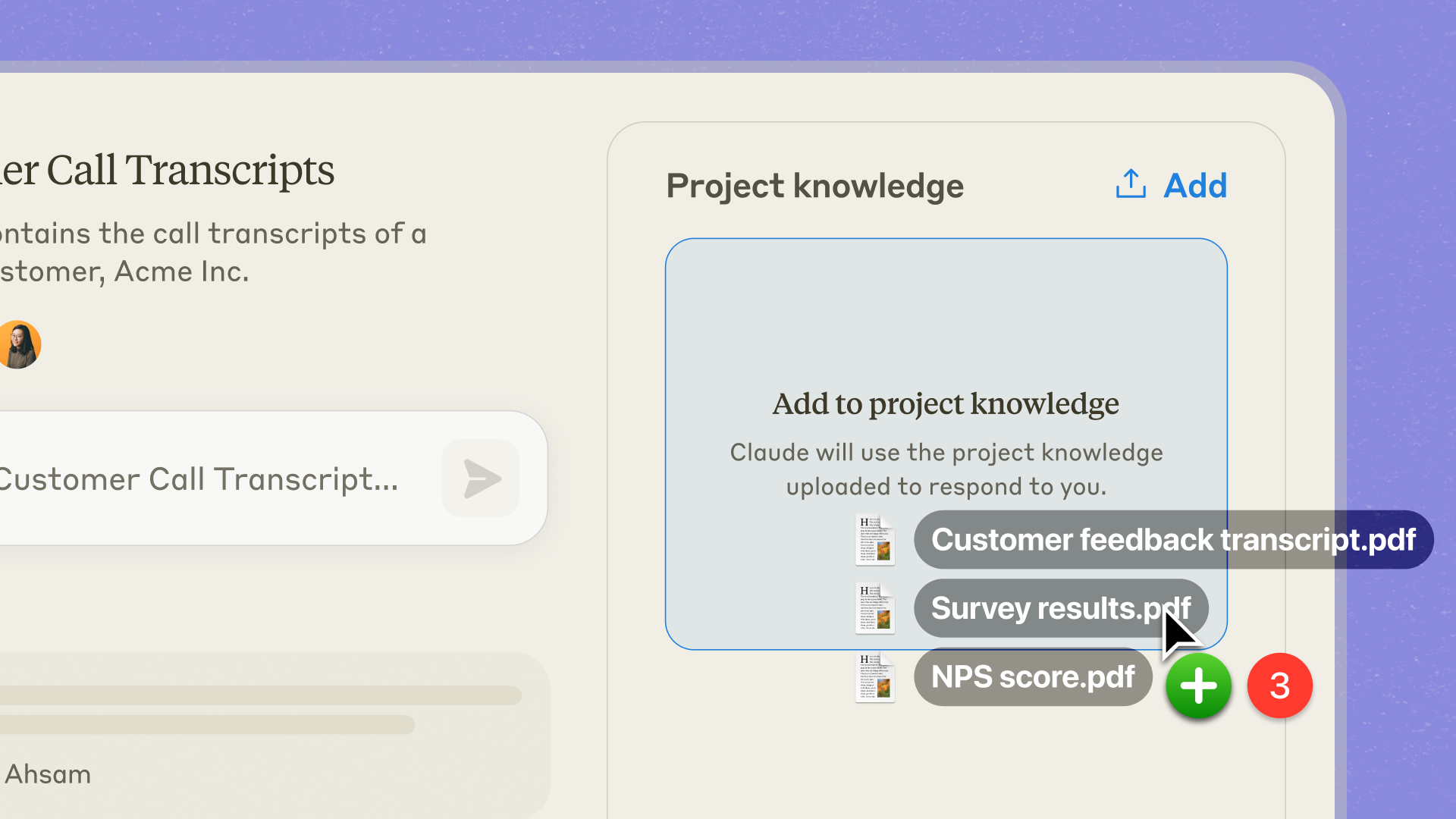
 Anthropic · Claude
Claude Projects: give an assistant shared context.
A project brings reference documents and custom instructions into a workspace. It provides a useful comparison when the task needs an informed assistant rather than a connected action-taking agent.
A business use to evaluate: preparing draft briefs from an approved set of documents, then checking the draft against its sources.
See Anthropic’s project examples →Choose the job before the tool
Three useful first tests
Research preparation
Collect public sources, prepare a brief and flag gaps. Check source quality and include review time in the comparison.
Meeting preparation
Use approved notes to summarize context and open questions. Confirm the facts before using the briefing.
Draft follow-through
Prepare an action list or draft message from agreed inputs. A person confirms responsibilities and approves communication.
Write a one-page pilot brief.
- The job, expected output and frequency
- Approved tools, inputs and connected accounts
- Permitted actions and required review points
- Routine, missing-information and conflicting-source tests
- Quality, total time, correction effort and maintenance measures
- A named owner who can inspect, stop and improve the workflow
Compare the agent with a reusable prompt or a rule-based automation. Choose the simplest approach that delivers an acceptable result with manageable effort.
Use the company AI rollout guide to connect the pilot with owners, training and a decision about scaling.
What if your organization’s customers use agents?
That creates a separate business question: can an assistant find, understand and evaluate your offer? Keep public facts, evidence and contact or purchase routes clear.
A recommendation, a website visit and a completed booking or inquiry are different outcomes. Use an AI visibility audit to inspect buyer answers, and monitoring to follow changes.
How Vivander helps
Vivander helps connect agent decisions to the business task, team fluency and rollout. Fractional leadership can coordinate a pilot, while AI fluency training helps employees provide context and review results.
Vivander Sessions is a guided-building offering with a waitlist. MyTeam is opening soon. Check current availability before making either part of your operating plan.
Questions people ask
Is coding experience required?
Some tools offer guided setup. Integrations and custom workflows may require technical work. Choose the task first, then assess setup and maintenance.
Can an agent work without supervision?
Some can run scheduled or multi-step work. Define what may finish independently, what needs approval and how exceptions are handled. Test those boundaries.
Does an agent remember everything?
Memory differs by product and configuration. Check what is stored, what can be retrieved and how to correct or remove it.
What does an agent cost?
Include subscriptions, usage, setup, connected tools, review and maintenance. Compare the total with the useful output of the workflow.
Choose one useful task to test.
Tell Vivander what your organization needs to prepare, who will review it and which tools your organization’s team already uses.
Discuss your organization’s prioritiesVivander agrees the scope, deliverables and fee before work begins.
Put this guidance to work with Vivander.
Vivander fractional AI leadership connects this topic to an agreed business scope. Explore Michael J. Goldrich’s published Hospitality Upgrade cover stories and his background as Vivander’s founder and chief advisor.